Based on the Qiita article, this post introduces SonarQube Automatic Issue Assignment. A scan can produce many issues, and deciding who should own each one adds overhead. This feature uses SCM data to assign issues to developers associated with the affected code.
How automatic assignment works
During analysis, SonarQube obtains SCM information such as Git history and identifies the last author of the line where an issue was found. It matches the SCM committer to a SonarQube user by email address and assigns the issue to that user.
The process is:
- Collect last-change information for each line during analysis, similar to
git blame. - Use the issue location to identify the user who last committed the affected line.
- Map the SCM email address to a SonarQube account.
- Assign the issue to the matching user.
Verify the behavior
Create SonarQube users whose email addresses match those used in SCM. The original article uses GitHub integration and has three corresponding accounts commit code.
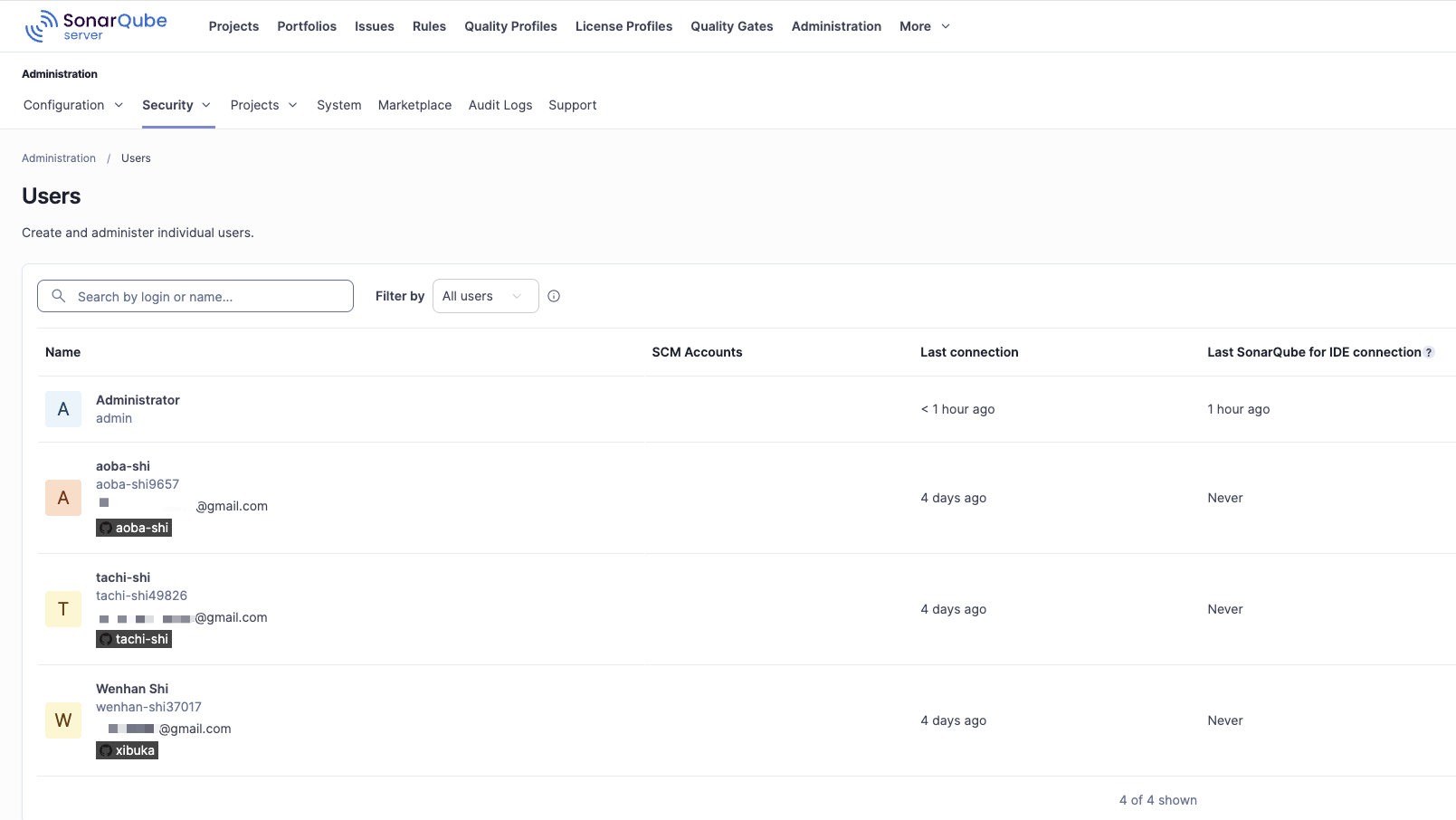
Each corresponding GitHub account commits code.
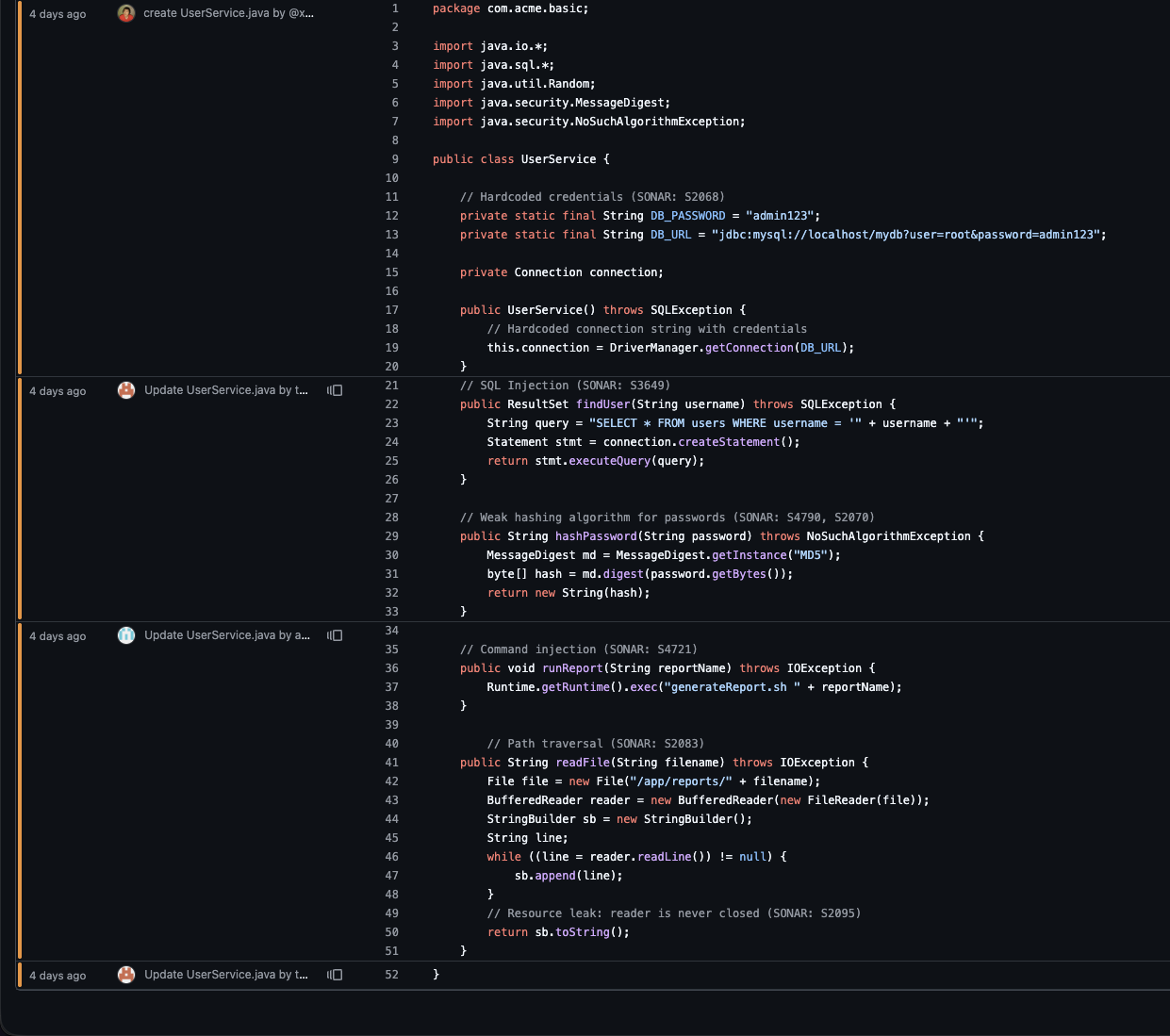
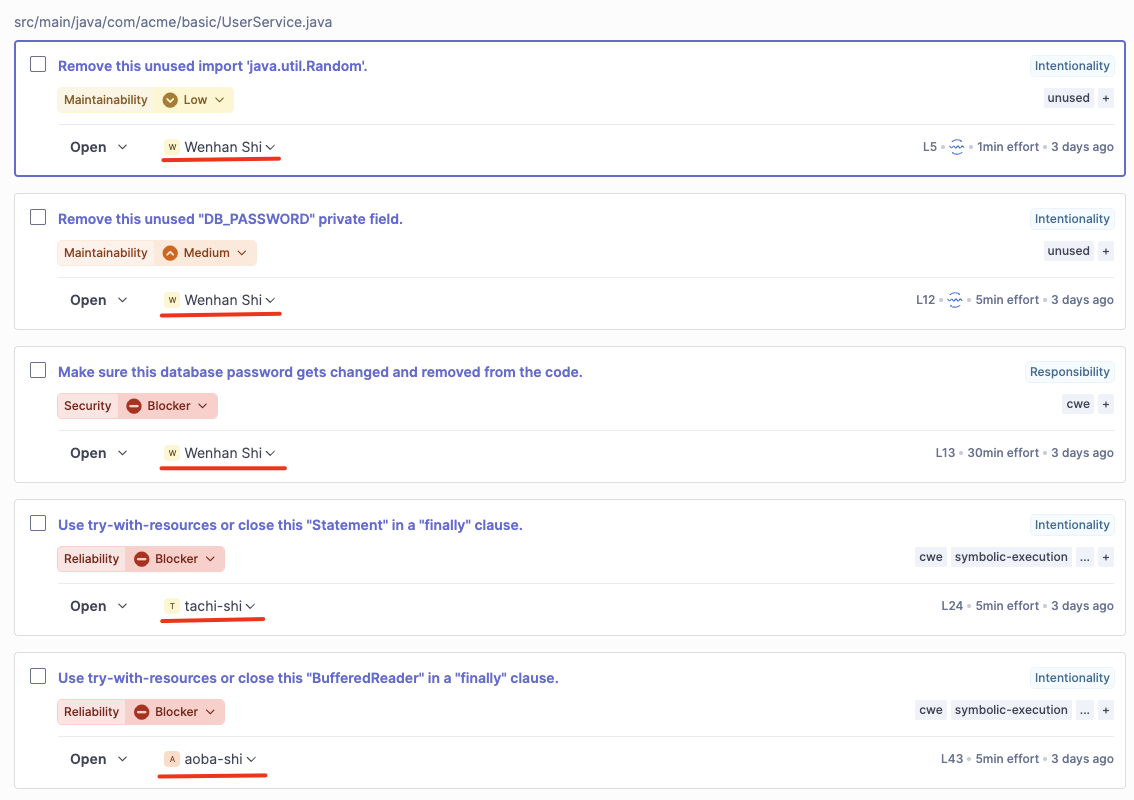
After a commit, run an analysis. Detected issues are automatically assigned to the user who last changed the relevant code. Correct SCM integration and email mapping are prerequisites.
Summary
With SCM integration configured, teams can reduce manual triage and route improvement work to developers familiar with the affected code. If issues tend to remain unassigned, check the automatic assignment setup and user email mappings.